> ## Documentation Index
> Fetch the complete documentation index at: https://docs.pipecat.ai/llms.txt
> Use this file to discover all available pages before exploring further.
# Introduction
> Build voice and multimodal AI agents with the Pipecat ecosystem.
Pipecat is an open source ecosystem for building voice and multimodal AI agents. It provides everything you need to create, deploy, and scale real-time AI applications that can see, hear, and speak.
## The Pipecat Ecosystem
Open source Python framework for building voice and multimodal AI pipelines.
Orchestrate 100+ AI services with ultra-low latency.
Client SDKs for JavaScript, React, React Native, iOS, Android, and C++.
Connect users to your agents via web and mobile.
Build structured conversations with defined paths and state management.
Break complex tasks into focused steps for better LLM accuracy.
Managed hosting platform for deploying and scaling Pipecat agents in
production with built-in infrastructure.
## How It All Fits Together
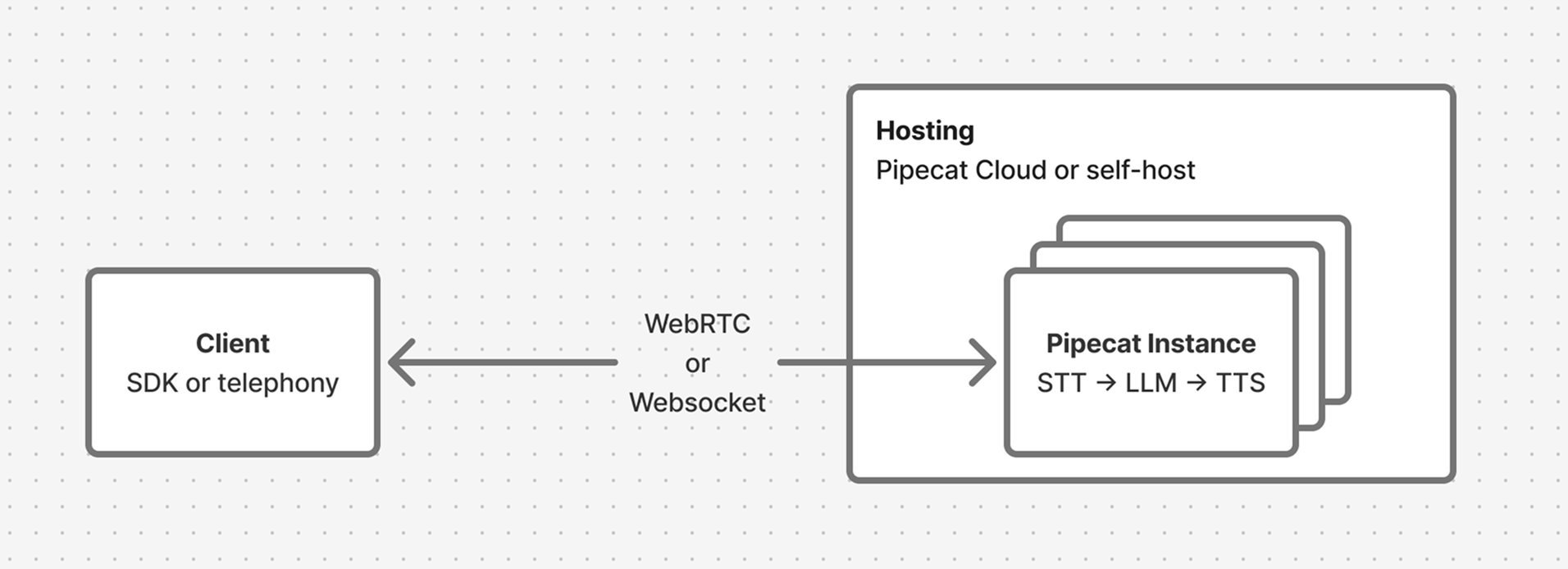
A typical Pipecat application has a **client** and a **server**. The client connects users via browser, mobile app, or phone. The server runs a Pipecat pipeline that processes audio, runs LLMs, and generates speech in real-time. Your hosting provider — Pipecat Cloud or self-hosted — manages deployment and scales instances to handle concurrent sessions.
 ## Getting Started
Follow the [Quickstart](/pipecat/get-started/quickstart) to create a voice
AI bot in 5 minutes.
Work through the [Learning Pipecat](/pipecat/learn/overview) guide to
understand pipelines, processors, and transports.
Connect users to your agent with a [Client SDK](/client/introduction) for
web or mobile.
Ship to production with [Pipecat Cloud](/pipecat-cloud/introduction) or
[self-host](/pipecat/deployment/overview) on your own infrastructure.
## Community
Connect with other developers, share projects, and get support.
Explore the source code, open issues, and contribute.
## Getting Started
Follow the [Quickstart](/pipecat/get-started/quickstart) to create a voice
AI bot in 5 minutes.
Work through the [Learning Pipecat](/pipecat/learn/overview) guide to
understand pipelines, processors, and transports.
Connect users to your agent with a [Client SDK](/client/introduction) for
web or mobile.
Ship to production with [Pipecat Cloud](/pipecat-cloud/introduction) or
[self-host](/pipecat/deployment/overview) on your own infrastructure.
## Community
Connect with other developers, share projects, and get support.
Explore the source code, open issues, and contribute.