

The Pipecat Ecosystem
Pipecat
Open source Python framework for building voice and multimodal AI pipelines.
Orchestrate 150+ AI services with ultra-low latency.
Pipecat Clients
Client SDKs for JavaScript, React, React Native, iOS, Android, and C++.
Connect users to your agents via web and mobile.
Pipecat Cloud & Enterprise
Hosted infrastructure for deploying and scaling Pipecat agents, either fully
managed in Daily-hosted regions or with agents running in your own VPC.
How It All Fits Together
A typical Pipecat application has a client and a server. The client connects users via browser, mobile app, or phone. The server runs a Pipecat pipeline that processes audio, runs LLMs, and generates speech in real-time. Your hosting provider — Pipecat Cloud or self-hosted — manages deployment and scales instances to handle concurrent sessions.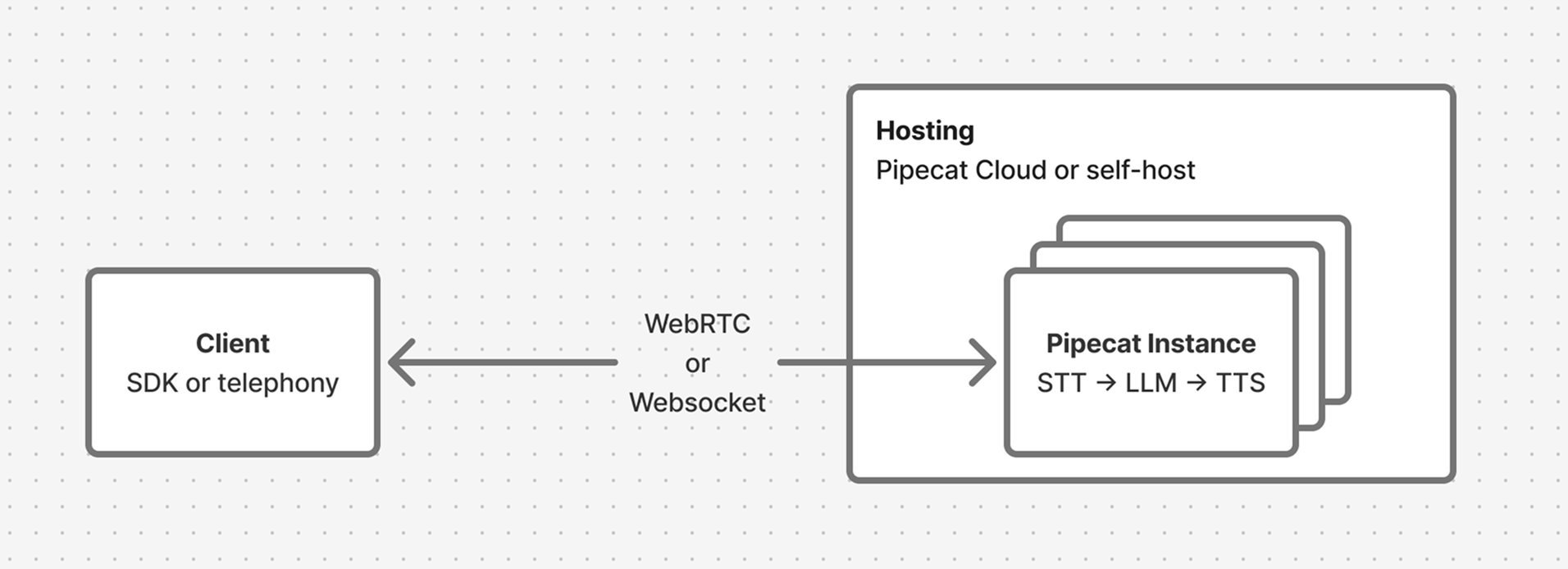
Getting Started
1
Build your first agent
Follow the Quickstart to create a voice
AI bot in 5 minutes.
2
Learn core concepts
Work through the Learning Pipecat guide to
understand pipelines, processors, and transports.
3
Add a client
Connect users to your agent with a Client SDK for
web or mobile.
4
Deploy
Ship to production with Pipecat Cloud or
self-host on your own infrastructure.
Community
Discord
Connect with other developers, share projects, and get support.
GitHub
Explore the source code, open issues, and contribute.