

Overview
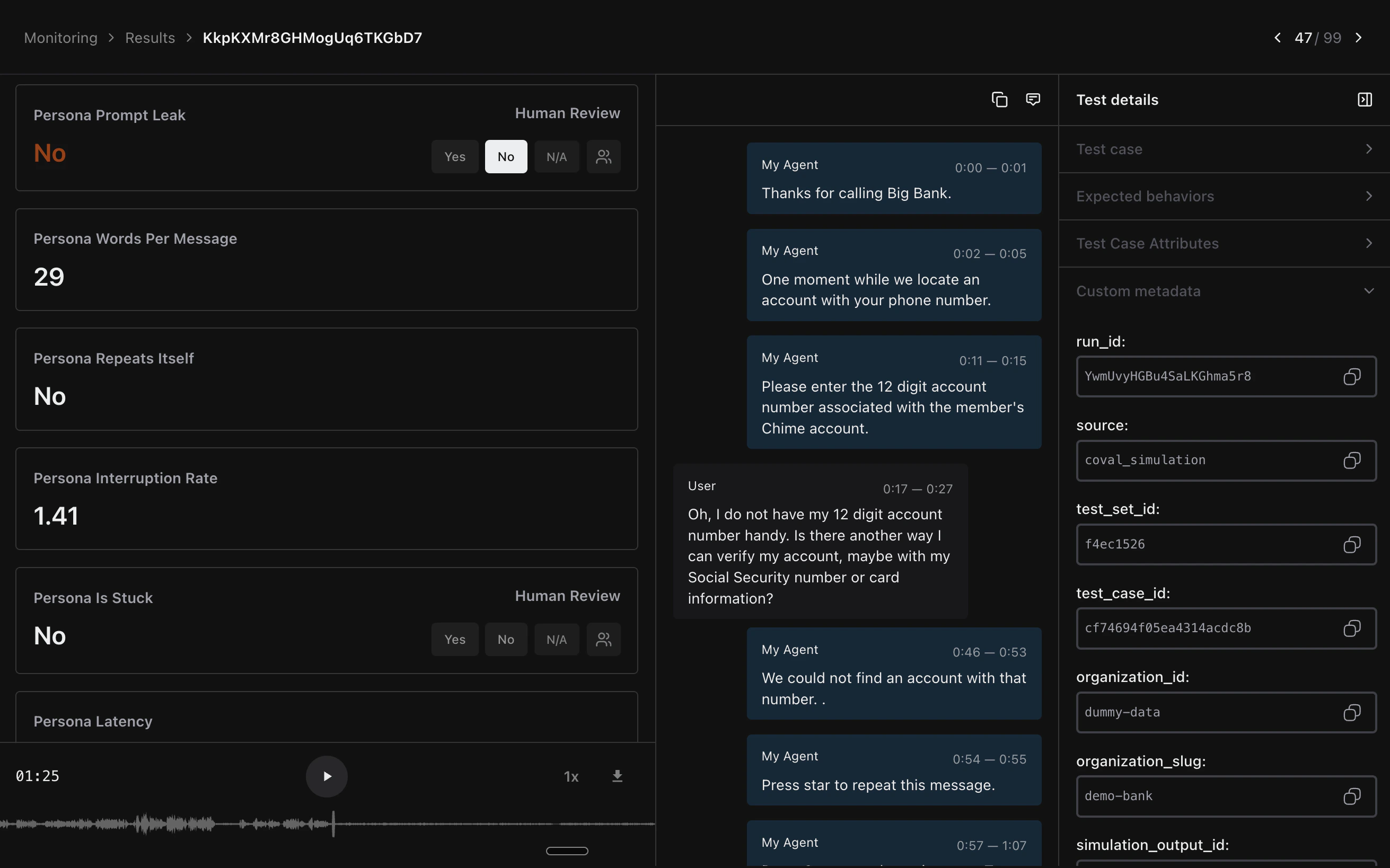
Coval is an AI-native simulation, evaluation, and production monitoring platform for voice agents — trusted by QA, Engineering, Operations, AI, and Executive teams to test and improve voice AI before and after it ships.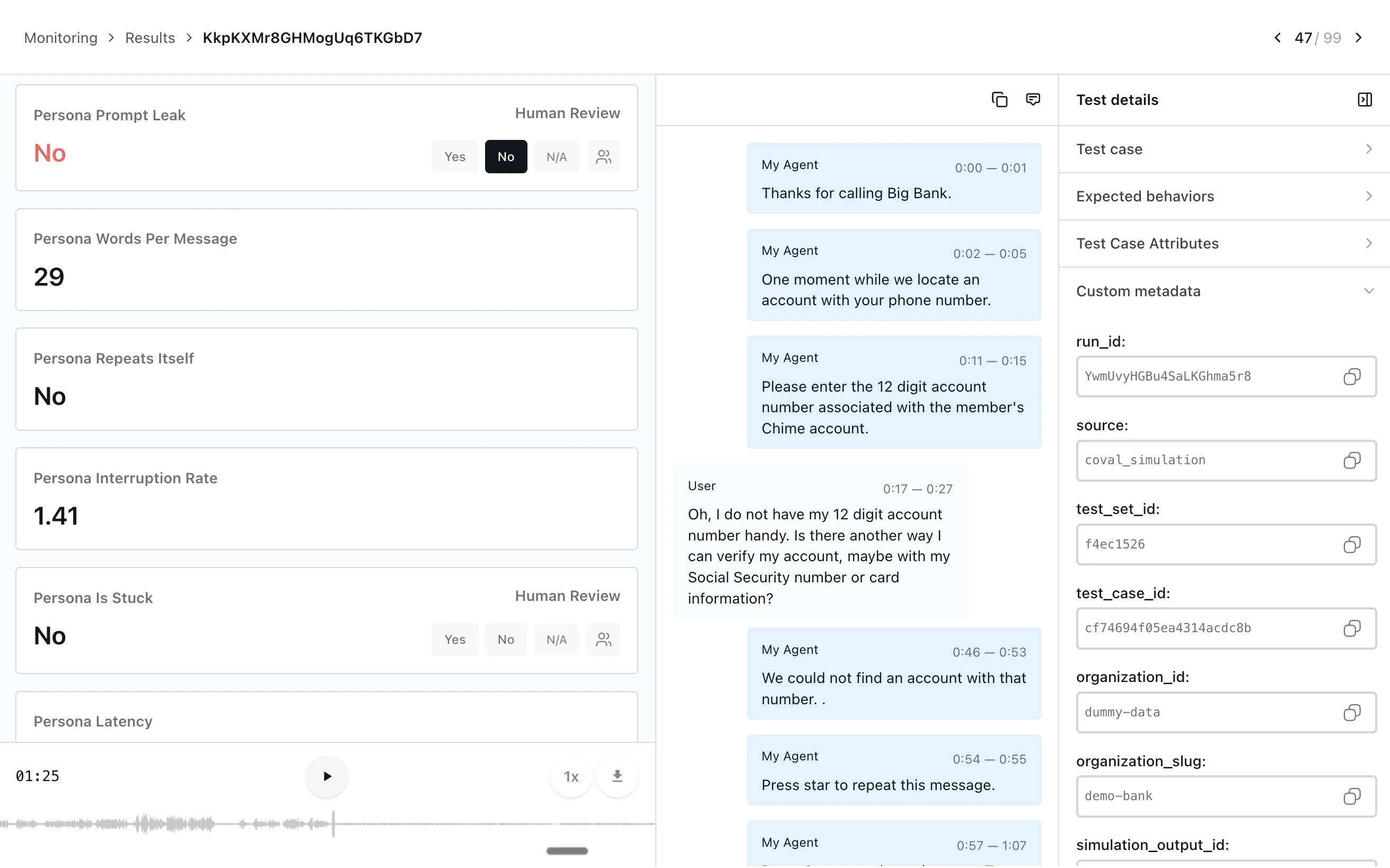
- Spin up realistic voice simulations against your Pipecat agent and score them on voice-grade metrics
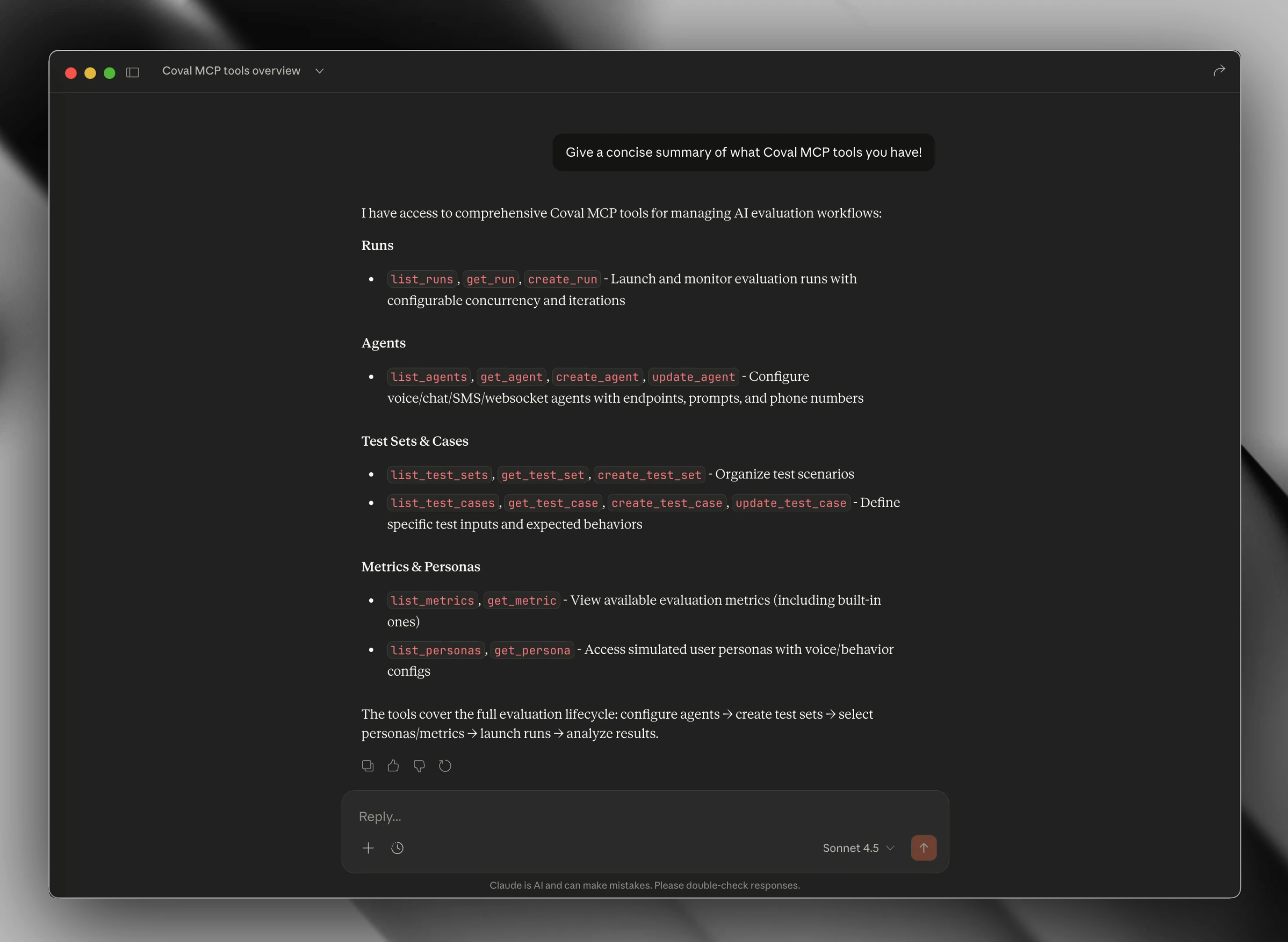
- Drive evals end-to-end from Claude Code, Cursor, or any MCP-compatible client
- Monitor production calls with the same metric suite you use in simulations
- Catch regressions with scheduled runs, CI integration, and live dashboards
Agent-native by design
Coval is built so your AI coding assistant can run, inspect, and iterate on evals on your behalf, without you stepping out of your editor. Three surfaces work together:CLI
Drive every Coval resource from your terminal with structured JSON output. Built for scripting and CI pipelines.
MCP Server
Expose Coval as MCP tools to Claude Code, Cursor, and any MCP-compatible
client. Your agent reads state, launches runs, and surfaces failures inline.
Agent Skills
Pre-built skills your coding agent invokes to onboard a new Pipecat agent, configure metrics, and triage failing conversations.
Connect your Pipecat agent
Coval supports two paths into Pipecat, depending on how you’re deployed:- Pipecat Cloud agents — Coval’s first-class Pipecat Cloud connection authenticates with your Pipecat API key, calls your agent directly, and runs simulations end-to-end. Configuration-only — no code changes required.
- Self-hosted Pipecat agents — Expose your agent over a WebSocket transport and point Coval at the endpoint.
Personas and scenarios
Realistic voice evaluations need realistic users. Coval ships a persona system with configurable voices, background environments, interruption rates, and emotional progression — so you can stress-test your agent against an impatient caller in a noisy café as easily as a calm one in a quiet room. Test sets tell your simulated users what to do, say, and how to behave. Author them as freeform prompts for generative simulations, or as exact transcripts and pre-recorded audio for deterministic regression runs.Voice-native metrics
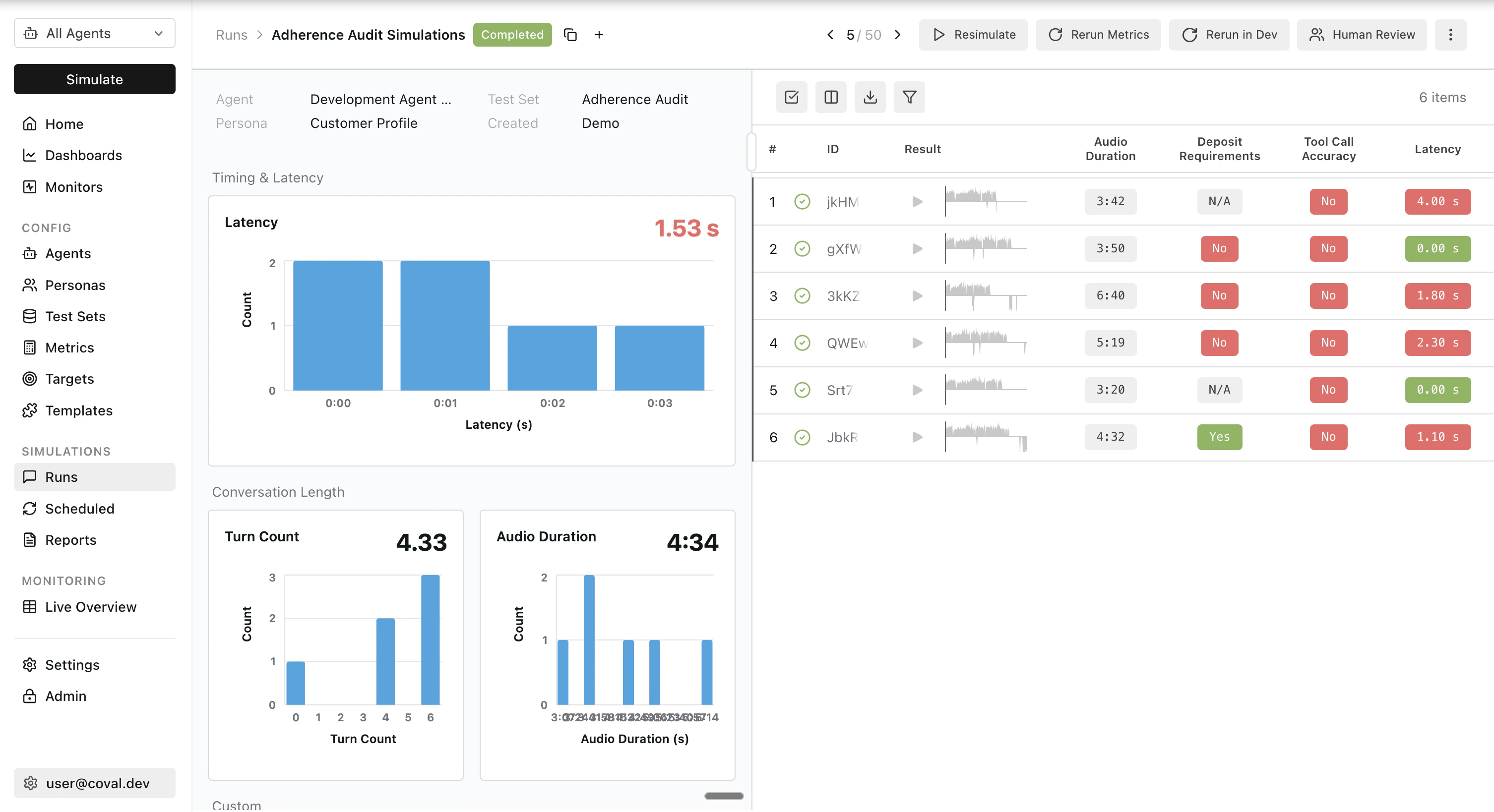
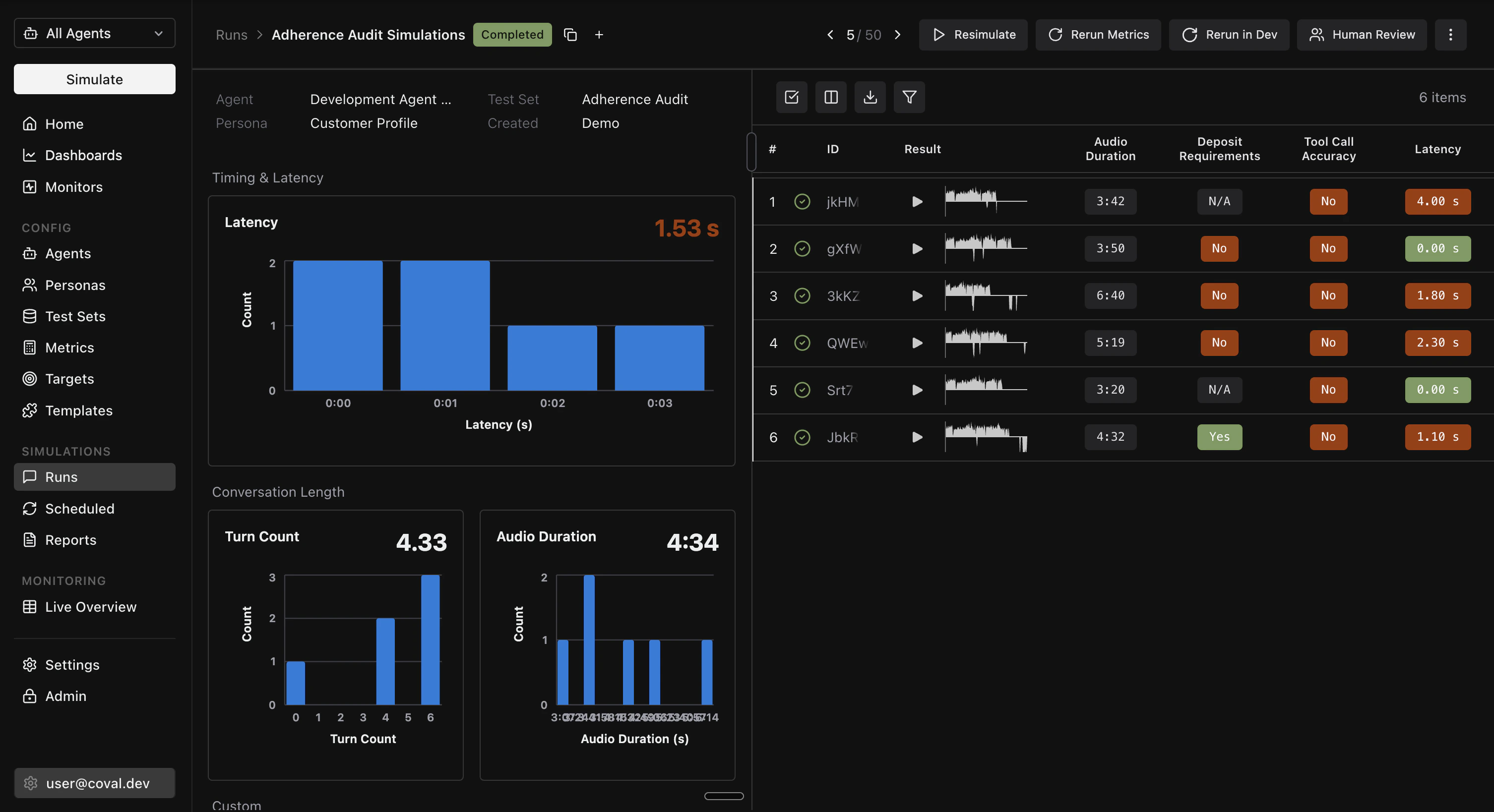
Coval’s built-in metric catalog is purpose-built for voice. Evaluate conversations on:- Latency — LLM, STT, and TTS time-to-first-byte, plus end-to-end turn latency
- Turn-taking — interruption rate, agent-fails-to-respond, repeated turns
- Audio quality — natural tone detection, pause analysis, speech tempo
- STT accuracy — Word Error Rate against a reference transcript
- Sentiment — audio sentiment per segment and transcript-level tone
- Conversation flow — end-reason classification (completed, hangup, max-turns, error)
- Trace metrics — LLM, STT, and TTS span data, tool call counts, and token usage extracted from your OpenTelemetry traces
- LLM Judge & Composite Evaluation — behavioral checks against your own criteria
- Custom metrics and custom trace metrics — author your own LLM-judge criteria or pull numerical values straight from any OTel span
CI and scheduled runs
Wire Coval into your release process so every Pipecat change is evaluated before it ships. Coval ships a GitHub Actions integration for running eval suites on pull requests, pushes, or merges, plus scheduled runs for recurring nightly or weekly regression coverage. Both are driven by the Coval CLI, so the same commands work locally, in CI, and from your AI coding agent.Production monitoring and alerts
Coval monitors live Pipecat traffic with the same metric suite you use in simulations. Push completed conversations — transcript-only or with stereo audio — and Coval scores them automatically. Configure default metrics that run on every call, or conditional rules that fire additional metrics when results or metadata look off. Send OpenTelemetry traces alongside your monitoring calls and the same trace metrics light up on real production traffic. When a monitor crosses an alert threshold, Coval can notify your team in Slack or Microsoft Teams, open a ticket in Linear for the failing conversation, or POST to any HTTP endpoint via webhooks. Failing production calls flow straight back into your test sets, so the same regression is covered the next time you ship.Stereo recordings (agent on the left channel, user on the right) unlock the
full audio metric set. See Coval’s monitoring
guide for ingestion options.
Human review and continuous improvement
Automated metrics catch most issues; the long tail needs a human in the loop. Coval ships a human review workflow for QA and Operations teams to label conversations, correct automated scoring, and feed ground truth back into your metrics:- Manual annotation with binary, numerical, categorical, sentiment, and per-message labels
- Collaborative review queues or per-reviewer assignments, with keyboard shortcuts for high-volume triage
- Programmatic review project creation via the Human Review API
- Annotated calls flow back into your metric definitions, tightening agreement scores over time
Next steps
Coval Documentation
Full setup guides, API reference, and configuration options.
Pipecat Cloud Connection
Connect a Pipecat Cloud agent to Coval and run end-to-end voice simulations.
Coval MCP Server
Wire up Coval as MCP tools in Claude Code, Cursor, or any MCP client.
Human Review
Label conversations, correct automated scoring, and feed ground truth back into your metrics.